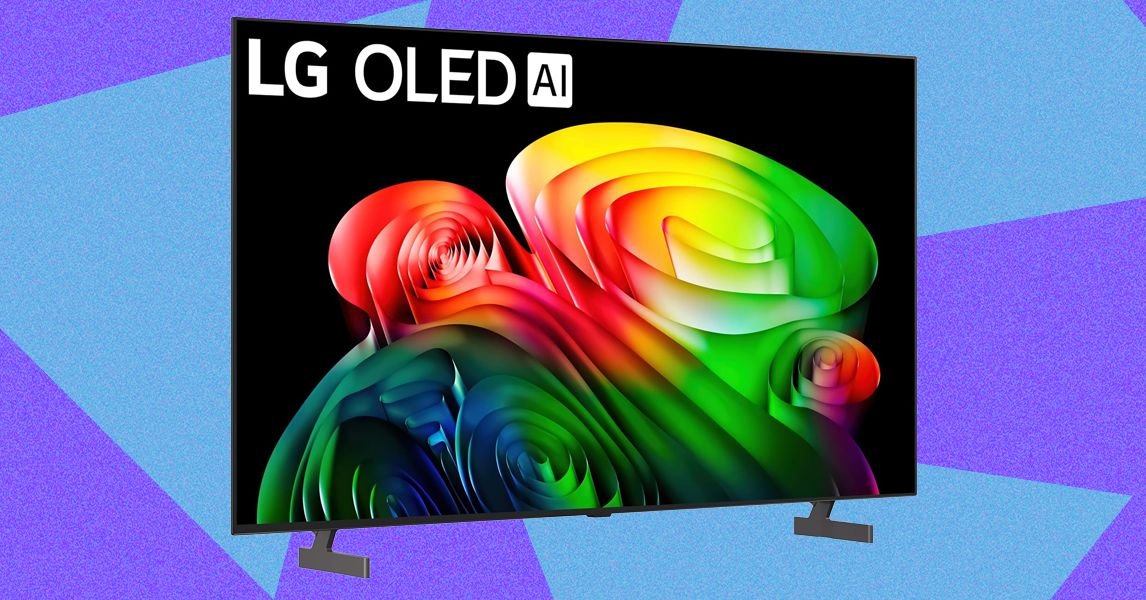
The LG B6 arrives as the most affordable OLED in LG’s lineup, undercutting the C6 and G6 models, yet it now faces stiff competition from a range of new displays. Art‑focused televisions such as Amazon’s Ember Artline, priced below $1,000, use matte panels that reproduce paintings with striking realism. Meanwhile, RGB‑based screens from LG’s Micro RGB Evo line, Samsung and Hisense promise brighter images and higher contrast, challenging the case for OLEDs.
Last year the LG B5 earned an 8 out of 10 in our review, but the market was less crowded then. The B6 remains a solid budget OLED, though it is surrounded by brighter alternatives, including LG’s own C6.
The first impression when unboxing the B6 is its thin profile: the base measures just 1.8 inches, while the top tapers to about a quarter‑inch, and the bezel is similarly slim. Because OLED panels do not require backlighting, the TV can be exceptionally thin. The lower edge is thicker to accommodate four HDMI ports (all supporting 120 Hz), an optical audio output, two USB 2.0 ports and a LAN port. Wi‑Fi is limited to the older Wi‑Fi 5 standard.
The set comes with two detachable legs that attach with two screws each. I placed the 65‑inch unit on a pair of 38‑inch IKEA SPIKSMED TV benches placed side by side, giving a total width of 76 inches. Setup uses LG’s WebOS interface and the ThinQ app rather than built‑in Google TV or Fire TV. Using the ThinQ app on my iPhone, I had the TV up and running in minutes, with Prime Video, Disney+ and Apple TV already installed.
Feature highlights include a gaming mode that reduces input lag, AI‑driven picture enhancements that noticeably improve image quality, an artwork mode called LG Gallery+ available for $5 a month, and an LG music app for users who prefer it over Spotify or Apple Music. Audio options include dialogue sync adjustments similar to those found on powered speakers such as the Klipsch The Fives II, and a desktop mode that mirrors a laptop screen and can run a Gmail app.
WebOS has its quirks. The remote’s pointer cannot be disabled and tends to jump around, and the central dial briefly powers down when pressed, suggesting the interface is not fully refined. The remote is also difficult to operate by feel in low light; the Home button is offset, and shortcut buttons for Netflix and other apps sit at the bottom without backlighting.
As an entry‑level OLED, the B6’s pricing makes its positioning clear. Official specifications list a “wide color gamut” but omit a precise BT.2020 percentage or a peak brightness figure, so benchmark testing is essential. In dark scenes, the TV delivers deep blacks and detailed grays, a pleasant surprise for a midrange model. Movies such as Awake and The Creator showed clear, detailed shadows after switching to Vivid mode.
Contrast and brightness, however, are less consistent. When watching House of the Dragon and Game of Thrones (season 8, episode 3), background details like distant trees on a frozen lake disappeared into black, indicating a contrast limitation. Color saturation and luminance also lag behind recent RGB models. The Super Mario Galaxy Movie displayed noticeable blooming, and a benchmark reel showed winter grass appearing overly brown, though skin‑tone reproduction remained strong.
Gaming performance is a strong point. The 120‑Hz panel handled Crimson Desert on PC with crisp, responsive motion, and Resident Evil: Requiem appeared almost photorealistic, with vivid statues and accurate leaf detail. Sports and news content performed as expected; a Baltimore Orioles game looked textured but not especially bright.
Overall, the LG B6 offers many premium features at a budget price, much like an entry‑level BMW that includes flagship touches. Its main drawbacks are lower brightness and contrast, and a WebOS interface that may not please everyone. Price remains a critical factor, especially as newer OLED and RGB options continue to improve.