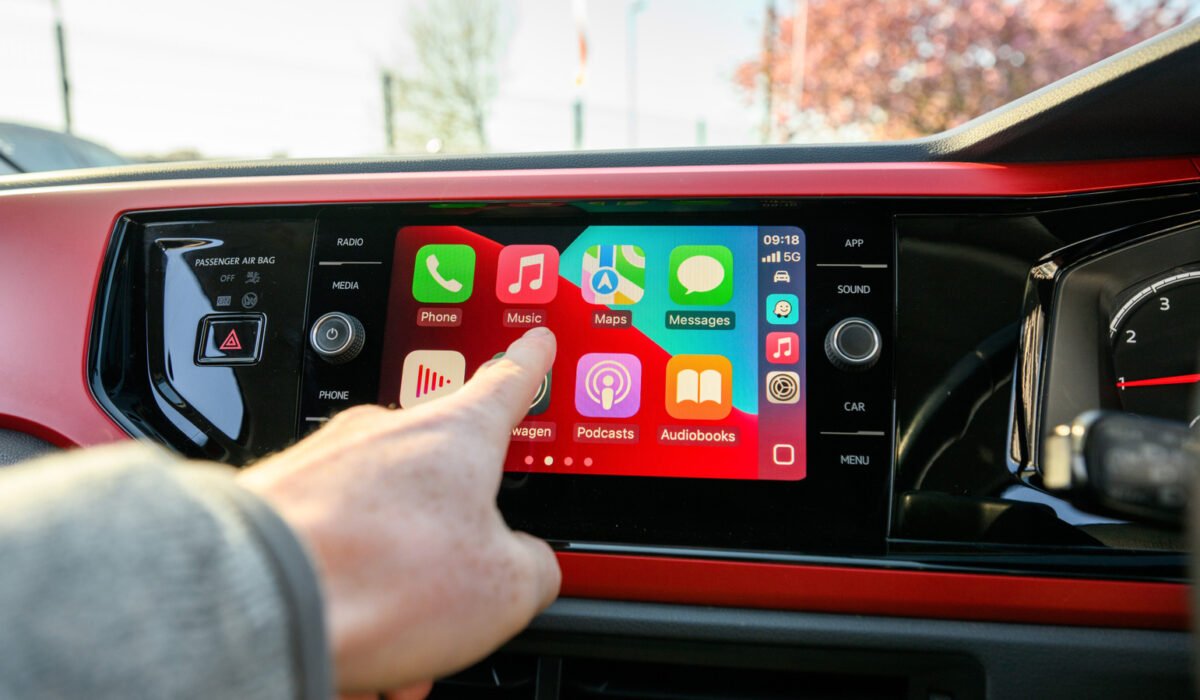
Navigating and listening to music feels much smoother with CarPlay than trying to juggle a phone or rely on memory and the radio. The quality of that experience largely depends on which apps are available. Many iPhone users notice that most of their apps simply do not appear in CarPlay, even when there is no obvious reason they couldn’t be useful on a dashboard. While apps like Gmail or Apple Fitness may not seem relevant while driving, there is technically no barrier preventing a calculator or a few New York Times crossword tiles from showing up. Apple does provide a rationale for the selection, and the rules are slowly changing as the company eases some earlier restrictions.
If you think you might have missed adding a compatible app, open Settings on your iPhone, go to General → CarPlay, select your vehicle, tap Apps, scroll to the bottom and press the plus sign next to any app that is not already listed. You can then drag the icons to place your most frequently used apps at the front.
Developers must explicitly add CarPlay support to their software; there is no automatic conversion of an iPhone interface to a car display. The UI has to be simplified and reformatted for the limited screen space, which requires time and resources. Consequently, if a developer does not invest in this work, the app will not appear in CarPlay regardless of its potential usefulness.
Beyond the technical effort, Apple enforces strict guidelines about which categories of apps may be offered through CarPlay. The allowed groups are primarily those directly related to driving, such as navigation, electric‑vehicle charging, and parking. Audio, communications, public safety and quick‑order food apps are also permitted. Apple’s developer documentation stresses that only “meaningful” interactions while driving are acceptable. Some categories are outright prohibited; games and most social‑media platforms cannot be listed, so a game like Cuphead may run in a Tesla but will never appear on CarPlay, and even a simple Wordle puzzle is blocked. Apps that do make it onto the platform must obey additional rules, such as not displaying message content. Music apps cannot show lyrics, although a few workarounds exist.
Apple has begun to expand CarPlay’s capabilities with iOS 27. Users can now summon AI voice assistants such as ChatGPT or Perplexity, complementing the existing Siri integration and the dedicated Siri AI app. The most talked‑about addition is limited video support. Video apps are only allowed to play when the vehicle is parked, and many infotainment systems still lack video playback hardware, so those apps remain hidden when the car is in motion.
Widgets have also been introduced, giving quick access to information from apps that otherwise do not have full CarPlay versions. How far Apple will push the platform remains uncertain, especially as some automakers move away from CarPlay in favor of their own large‑screen, high‑performance infotainment solutions. Competitors like Tesla and Rivian already provide entertainment‑focused experiences that can feel more complete than a setup limited to Google Maps and Apple Podcasts.