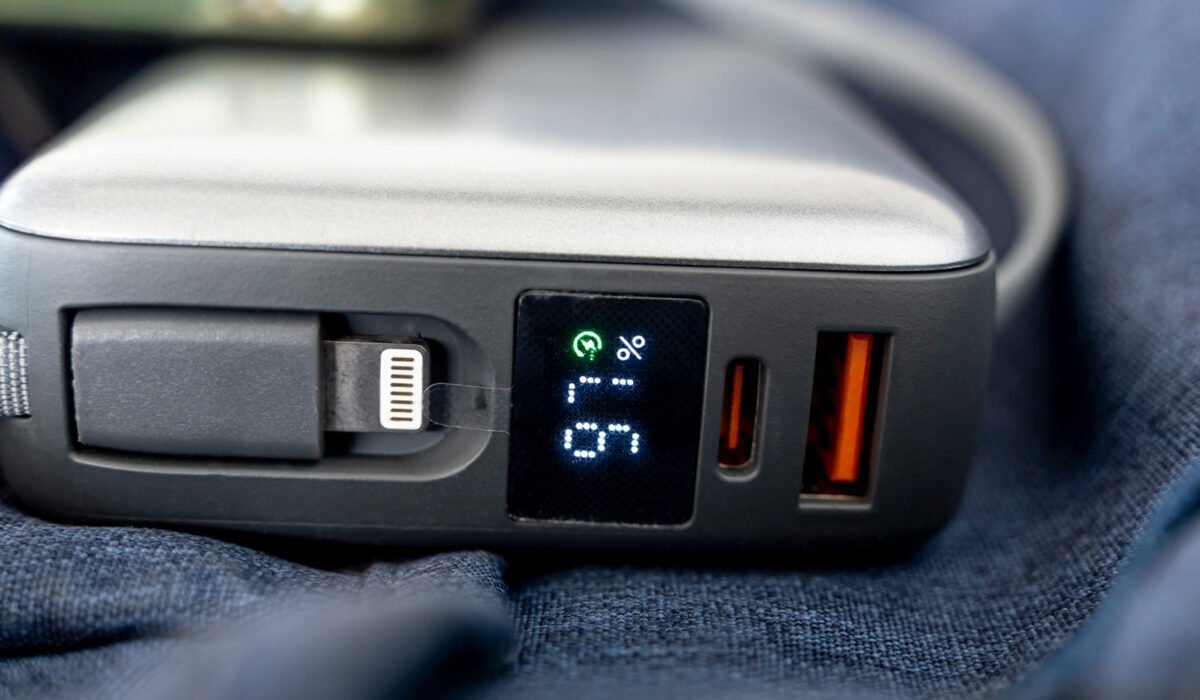
Orange USB connectors can signal an “always‑on” charging capability, but the color is not defined by any industry standard. When you see an orange insert inside a USB‑A socket, it often means the port can supply power even if the computer or device is turned off. However, the use of the word “chance” in that description is intentional, because the hue is not a reliable indicator of a specific function.
Manufacturers sometimes label orange ports as “always‑on,” yet those same ports may also support fast data transfers. They are frequently linked with USB 3.0, which can reach speeds of up to 5 Gbps, but this association is not universal. A given orange port might lack the 5 Gbps rate and still provide charging when the host is off, or it might deliver higher power without any guarantee of a particular wattage.
Because the color is essentially a visual cue rather than a specification, the exact feature set depends on the maker. The best way to know what an orange port does is to consult the device’s manual or online specifications. For example, Intel uses orange inserts on some NUC models to denote an enhanced charging port that can deliver up to 1.5 amps, compared with 0.9 amps from the standard blue ports on the same machines. Advantech, on the other hand, employs orange connectors to indicate a high‑retention design that requires roughly 50 percent more force to unplug than a typical USB plug.
In most color‑coding charts, both orange and blue ports are listed as USB 3.0, offering the same 5 Gbps transfer rate. The primary distinction for orange is the always‑on charging feature, while blue is the color recommended by the USB‑IF for SuperSpeed USB‑A connectors. Even so, blue is not a guarantee of any particular performance, and other non‑standard colors such as purple can appear on devices.
To get the most out of a port, consider the connected device and the cable you use. Not every accessory can reach a port’s advertised maximum, and the cable must be capable of handling the same speed and power. If fast charging is your goal, verify that the orange port truly supports the required wattage. If high‑speed data transfer matters, make sure the same port will not become a bottleneck. In short, the orange color alone does not tell the whole story; checking the specifications is essential.