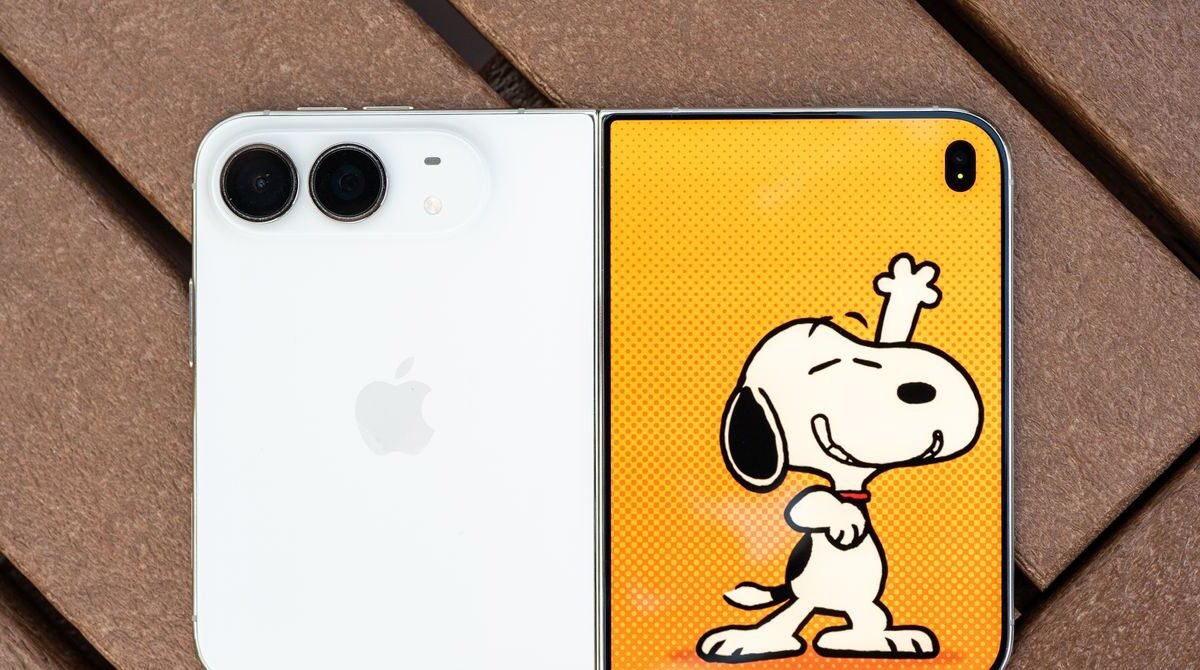
Apple’s first folding iPhone has finally arrived, and after a week of daily use I have a mixed impression. The device feels solid, with a sleek hinge and a matte nanotexture finish that almost hides the crease where the screen folds. Multitasking is straightforward, and the camera offers some playful features that take advantage of the dual screens. Battery life holds up well, but the phone is noticeably heavy, and some multitasking functions feel overly rigid. Many apps still lack proper optimization for the 7.6‑inch display, which can lead to awkward black bars and cramped layouts.
During my testing, a few of my most‑used apps received updates that added full support for the Duo’s larger screen and vertical UI elements. Instagram, Threads, Slack, and the Google app now place navigation icons on the right rail instead of the bottom center, and their content is arranged to fill the extra space. Full compatibility requires developers to target the iOS 27.1 SDK, which will take time. It is a bit frustrating that developers who have long ignored Android foldables are now quick to adapt to Apple’s version. Slack, for instance, never offered a two‑pane view on Android, yet it appears on the Duo. Hopefully Apple’s entry will encourage a “rising tide lifts all boats” effect for the entire foldable market.
The iPhone Duo appears seven years after Samsung’s original Galaxy Fold, and it feels more refined than the early Android attempts. The crease is barely visible thanks to Apple’s display stack and the matte nanotexture coating. The phone carries an IP68 rating for dust and water resistance, though it’s wise to keep sand away from the hinge. The software experience, aside from the unoptimized apps, feels thoughtfully designed.
Apple has settled on a wider, shorter “passport” form factor, a departure from the narrow book‑like folds of earlier devices. The outer 5.4‑inch screen remains useful, and the hinge glides smoothly, staying in place at various angles. The hardware feels polished, though the Duo is heavier than many competitors, weighing in at 254 grams—more than an iPhone 18 Pro Max. Samsung’s new Galaxy Z Fold8, by contrast, tips the scales at just 201 grams, making it feel lighter during long sessions. The Duo’s closed shape features angled corners on one side and a curved edge on the other, which some may find less attractive than the Fold8’s uniform design. Touch ID replaces Face ID, requiring a brief adjustment, especially when the device is held in the left hand and authentication is needed with the right. The feature does auto‑unlock if an Apple Watch is worn.
Apple’s multitasking controls are strict. When two apps are placed side by side, the split is always 50‑50; there is no option to resize one pane larger than the other, unlike on Android. A third floating app cannot be added in split‑screen mode, except for video apps that can enter picture‑in‑picture. In portrait orientation, only a video app can be paired with another app; stacking two regular apps is not permitted. This rigid approach also extends to input handling. I typed this review using a compact folding keyboard with a tiny trackpad, but the trackpad only functioned after I enabled AssistiveTouch in the accessibility settings. If the Duo is meant to boost productivity, native cursor support similar to what iPads receive would be a welcome addition.
Physical quirks also appear. The Duo supports MagSafe, allowing attachment to MagSafe tripods and mounts, though its weight can cause the open device to sag to one side. MagSafe wallets will attach, but Apple’s official wallet protrudes past the lower edge, an odd detail for a company known for meticulous design. No official solution exists yet, so users will likely turn to third‑party accessories, and a variety of Duo‑specific accessories are expected to emerge.
Camera hardware follows Apple’s standard dual‑rear‑camera setup, lacking the third zoom lens found on Pro models—a noticeable omission. The front‑facing cameras, both the outer‑screen shooter and the hidden under‑display unit, deliver solid results. During a Zoom call, my editor commented that the video quality was “really good,” even though Zoom itself has not been optimized for the device.
When an app is fully optimized, the Duo shines. Multi‑pane views reveal far more content than a typical candy‑bar phone, boosting productivity. Split‑screening two optimized apps looks excellent, providing ample space for each to breathe. I have not spent much time positioning the Duo at angled angles, largely because I have enjoyed using it in its default configurations.