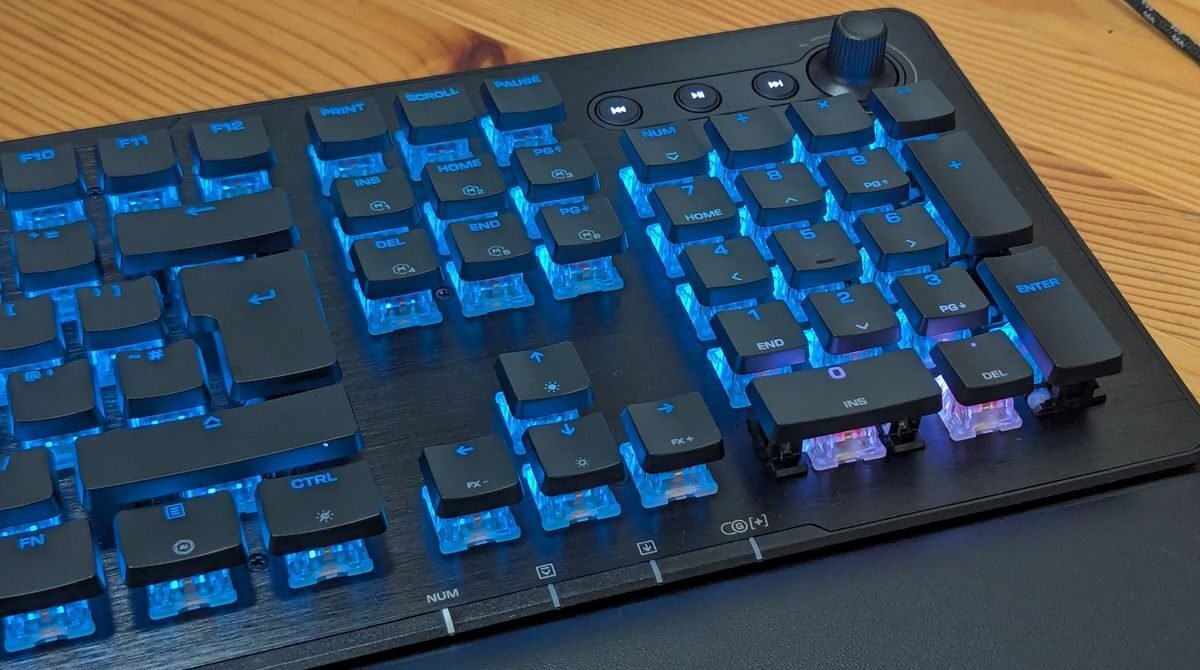
Turtle Beach’s latest entry in its Vulcan line, the Vulcan II XP, aims at competitive gamers with a full‑size layout, Titan HS mechanical switches and a suite of software‑driven features. Priced at $150 and sold only as a wired keyboard, it connects via a detachable 1.8‑meter USB‑C to USB‑A cable, promising zero input latency. A wireless version, the Vulcan II XP Air, will cost about $50 more.
The keyboard measures 462 × 153 × 32 mm and sports a low‑profile, floating‑key design anchored to a brushed‑aluminum top plate. While the upper surface feels premium, the underside is a simple plastic shell that feels cheap in comparison. The detachable legs add roughly 10 mm of height and give the board a comfortable tilt. A soft foam wrist rest clips onto the front underside, offering some support, though it is not memory foam and may lose cushioning over time.
Media controls sit on the top right, featuring back, play/pause and forward buttons, plus a media wheel with a push‑to‑mute function. The keyboard is a wired‑only device, which competitive players will appreciate for its instant response.
Setting up the Vulcan II XP is straightforward: plug it into a Windows PC and install Turtle Beach’s Swarm II app to unlock its full potential. By default the RGB lighting runs a bright rainbow cascade, but Swarm II lets users choose from ten built‑in lighting effects, adjust brightness, speed and colors, or create a fully custom slot with six pattern options. LEDs can be turned off entirely through the app.
Beyond lighting, the software provides extensive customization. Users can remap any key and store up to five onboard profiles, making it easy to switch between game‑specific layouts or a work‑focused configuration. A macro manager lets you program custom inputs and command combos with precise timing, supporting dozens of popular titles such as Counter‑Strike, Overwatch, Skyrim and many others. Presets also exist for office applications and Photoshop, and new layouts can be imported.
The review unit uses linear switches; a tactile version is also available in black or white. Linear keys glide smoothly and are silent until the final “clack” at the bottom, which can lead to accidental long‑presses for newcomers. The keys are hot‑swappable, supporting both three‑pin and five‑pin mechanical switches, allowing easy upgrades or replacements. Flat keycaps detach without hassle, simplifying cleaning. Turtle Beach rates the switches for 50 million keystrokes, a third of the 150 million claimed for the earlier Vulcan II TKL Pro, which used Hall‑effect switches.
In gaming mode the keyboard polls at 1,000 Hz, delivering a 1 ms response time—adequate for competition but below the 8,000 Hz rates found on some high‑end models. Swarm II adds advanced functions like Easy‑Shift, which duplicates keys for quicker access, and ReacTap, which assigns two commands to a single key—features that may be restricted in certain esports tournaments.
Configuring these options can be fiddly, but with experimentation users can craft layouts that suit their play style. The reviewer customized controls for Borderlands 3 and reported smoother performance, though the overall experience feels solidly middle‑of‑the‑pack rather than groundbreaking.